
Homework help for Australian students - right when they get stuck
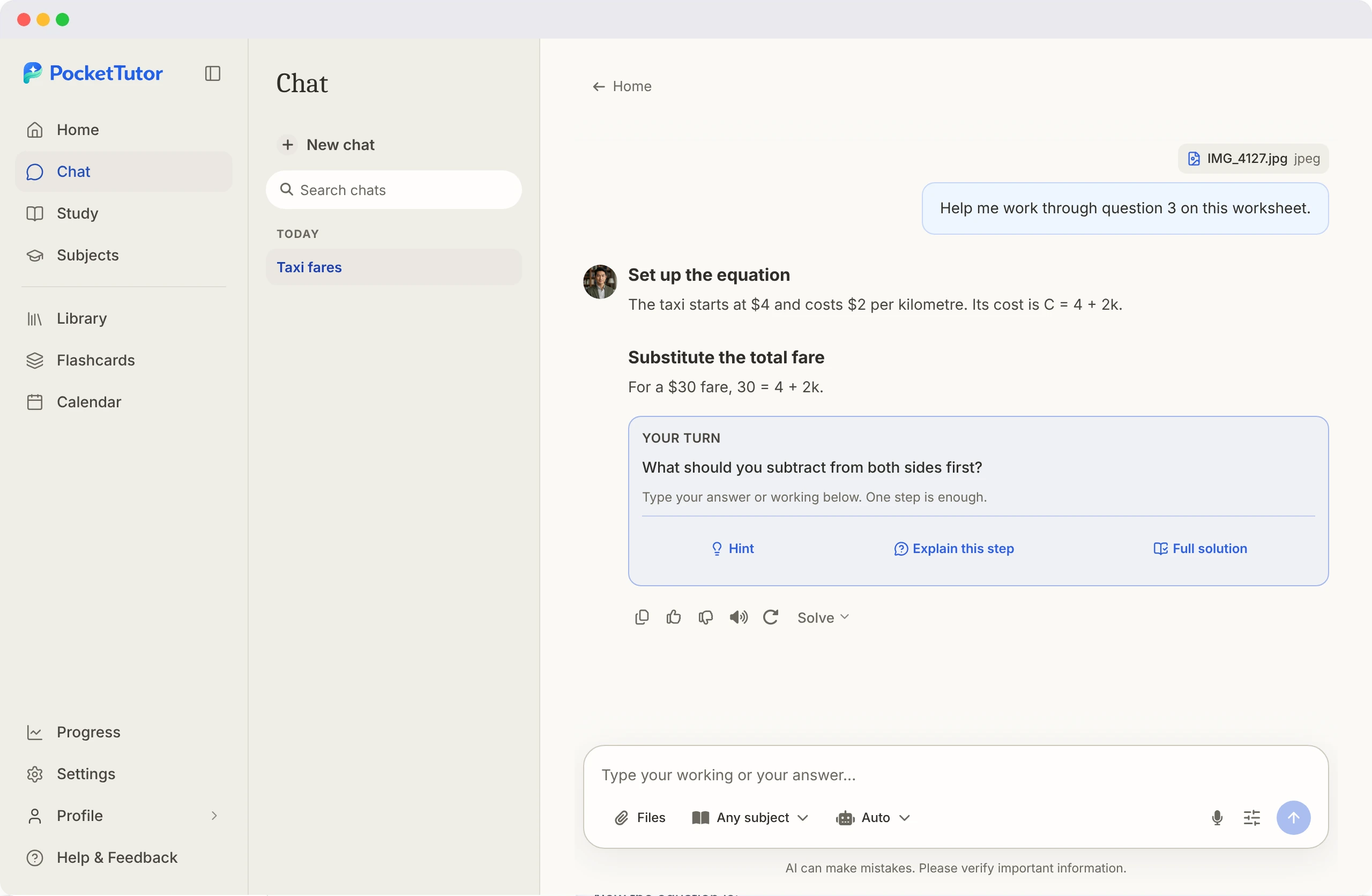
PocketTutor helps students understand the question in front of them. Type it, say it, photograph it or upload the worksheet, then ask for an explanation, a full worked example, practice, a quiz or feedback on work already written.
The right kind of help depends on why the student is stuck.
A student who is already confused should not have to write a carefully constructed AI prompt. PocketTutor offers seven ways to learn - or Auto can choose based on the request.
“I don't understand the idea”
“Show me how this problem works”
“Let me have a go”
“Give me feedback on my work”
Start with the homework as it is.
PocketTutor accepts the material in whichever form is easiest, and the conversation continues after the first response - so a student can ask “Why?”, “Can you make that simpler?”, “Where did I go wrong?” or “Give me one to try”.
Take a photo
Type or paste
Speak it
Upload it
Explanation-first does not mean hiding every worked answer
There are times when seeing the complete method is the most useful teaching move. A student stuck on an equation at night may need a worked solution before another round of practice makes sense.
PocketTutor therefore uses an honest distinction:
- In Solve, it shows the method from start to finish.
- In Practice, it protects the learning attempt and withholds the current answer.
- In Quiz, it waits until the student answers before showing the model answer and feedback.
- In Review, it comments on work the student provides.
This design supports learning, but no tool can control how every student uses it. Students must still follow their school's rules, especially for assessed work. The Australian Government's Framework for Generative AI in Schools provides a national reference point for responsible and ethical use; schools and assessment authorities may have more specific requirements. Read our guide to using AI for homework without cheating.
Connected to what the student learns at school
PocketTutor uses the Australian Curriculum v9 for Foundation to Year 10 and each state and territory's senior-secondary syllabus for Years 11 and 12.
Curriculum grounding is strongest when the student works within a selected subject or topic. There, the relevant syllabus content is retrieved for explanations, questions and feedback. Subject quizzes are generated from the selected syllabus content and outcomes. A quiz made from an uploaded document is grounded in that document and framed for the student's curriculum level.
Homework help that can continue into study
One solved question may reveal a topic that needs more attention. PocketTutor can carry the student into the next useful activity: practising the same idea with a new question, building a quiz from the topic or their own notes, creating a summary or flashcards, adding an assessment date and following a guided session, or reopening the conversation later without starting again.
Quiz results build a conservative picture of topic mastery. Repeated evidence is required before a topic is shown as mastered, and the picture helps shape the next quiz and study suggestions.
When to involve a teacher or another human
PocketTutor is good for everyday explanations, worked methods, practice and revision. A classroom teacher remains the best source for what an assignment requires, what AI use is permitted and how work will be assessed. A teacher, school wellbeing team or appropriate professional is also essential when a student's difficulty is persistent, involves formal learning support or is tied to significant distress.
AI tutoring can fill the gap between lessons. It should not make the people who know the student and their school context disappear.
Safeguards for school-aged users.
Designed for independent study
See how your child is progressing
Honest about accuracy
Frequently asked questions
Bring the question that is causing trouble.
Set the student's state, year and subjects, then type, speak, photograph or upload the homework - and choose whether the next step is an explanation, worked solution, practice or a quiz.