
Give your students support while they work.
PocketTutor explains mistakes and suggests what students can try next. Prepare activities from your own materials and check suggested feedback and marks before sharing them.
Individual teachers and single-class enquiries are welcome.

How it works in your class.
You assign activities
- You
- Pick the topic, then check and edit the draft.
- PocketTutor
- Drafts the activity from the curriculum and your materials.
Students do the work
- Student
- Writes their own response and submits it.
- PocketTutor
- Gives hints and practice feedback as they work.
You approve feedback
- You
- Approve the feedback and mark, or edit them first.
- PocketTutor
- Drafts feedback and a mark against the achievement standard.
Activities built from the curriculum and your own materials.
PocketTutor suggests activities based on the Australian Curriculum and the materials you add. Check and edit each activity before sharing it with your class.
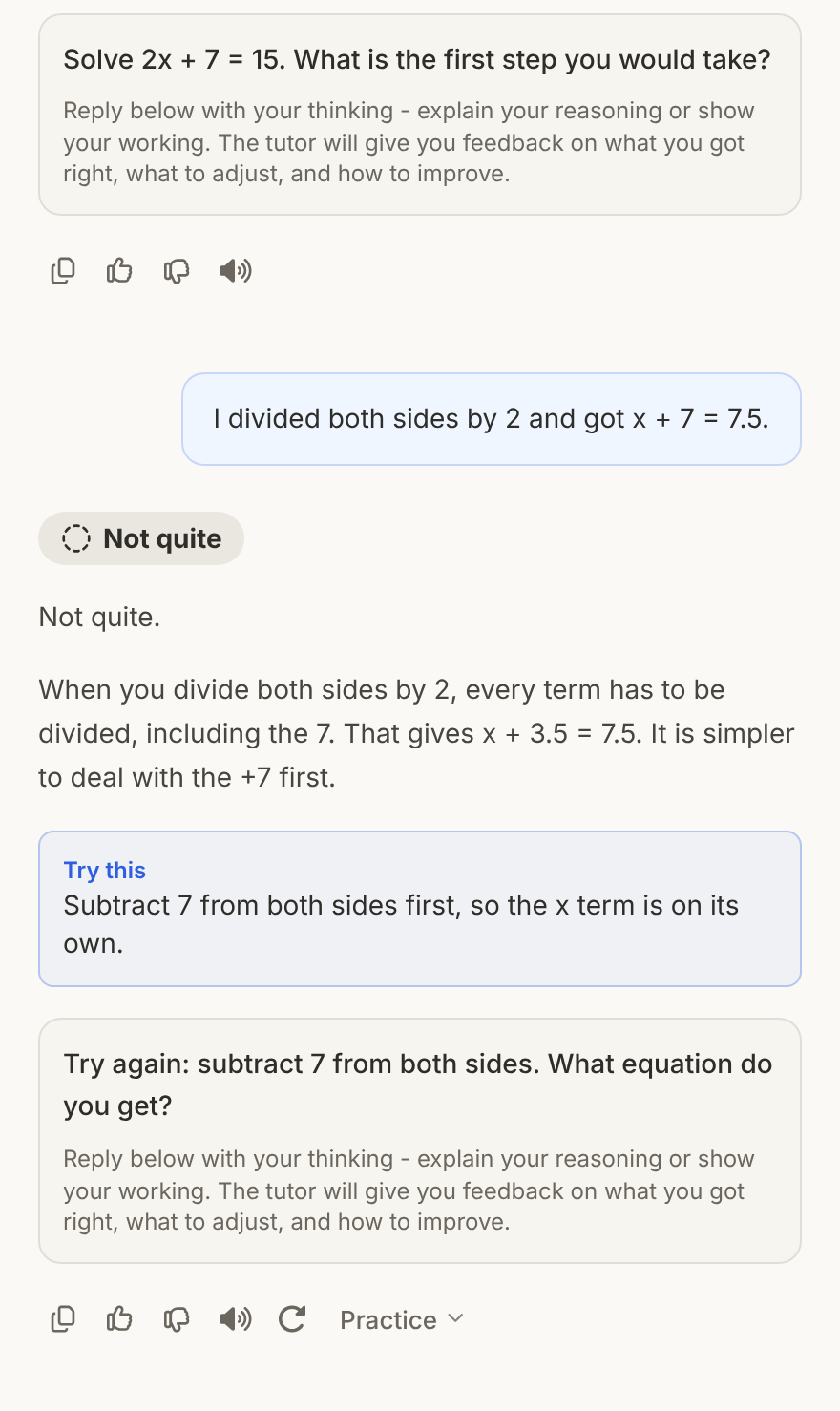
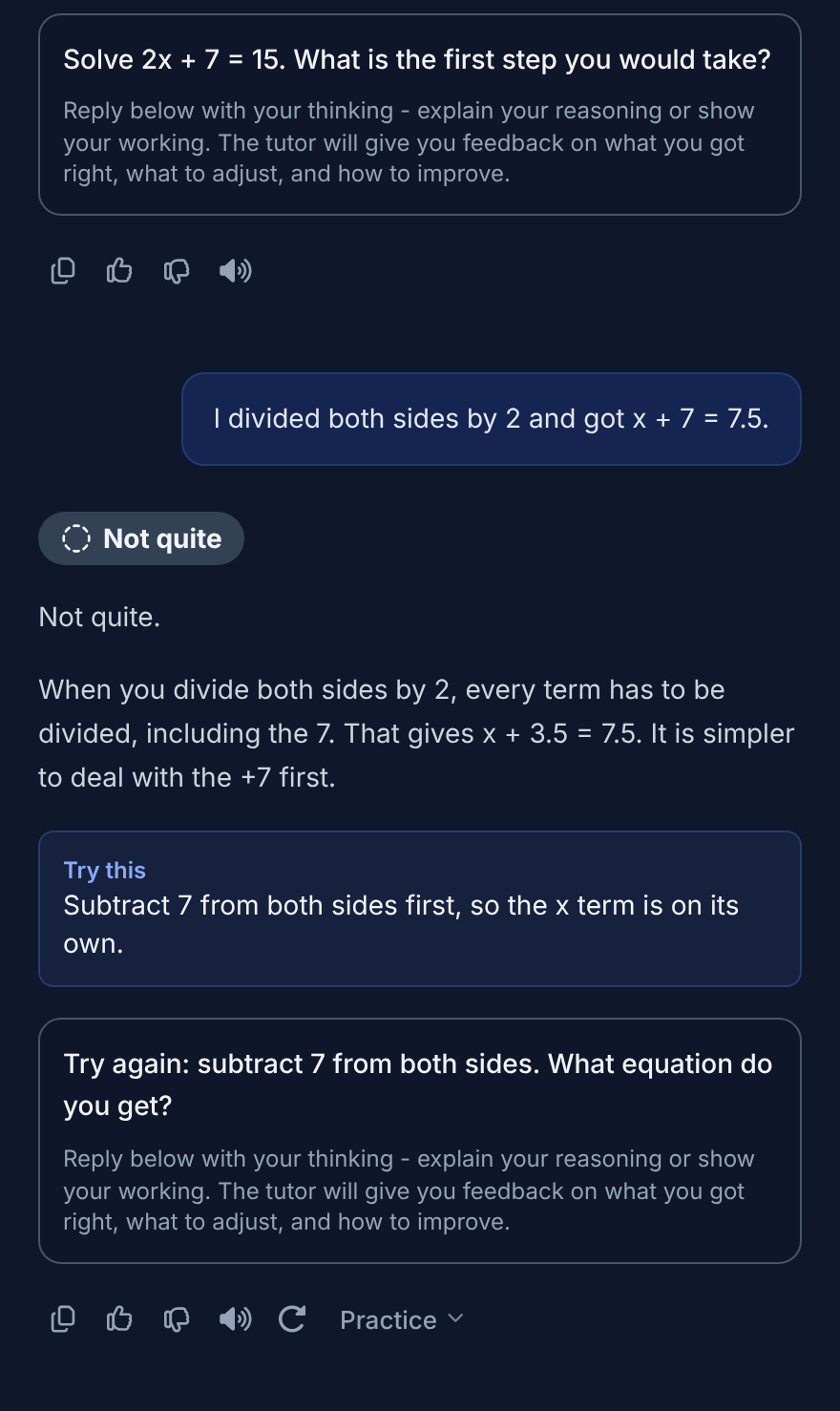
Help students work through the next step.
PocketTutor explains a mistake and suggests what to try next. Students can practise a method or get feedback on a draft, then make their own changes.
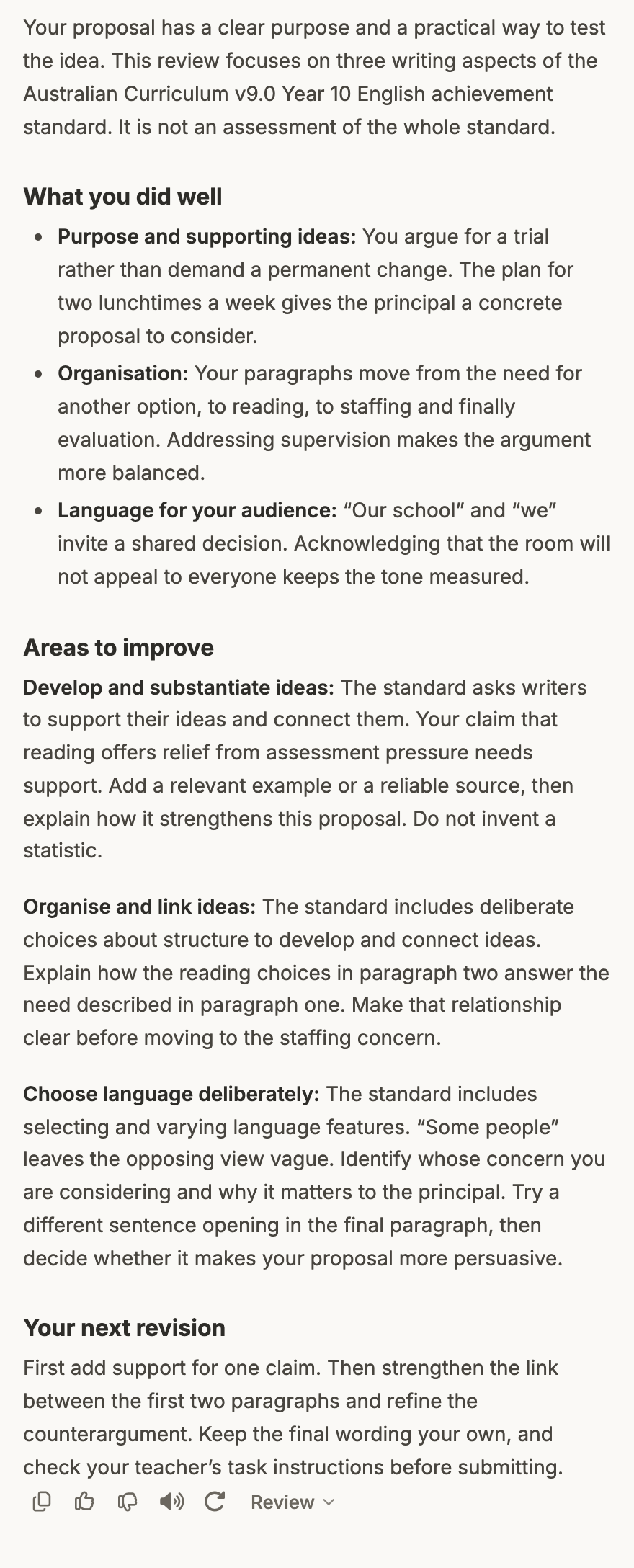
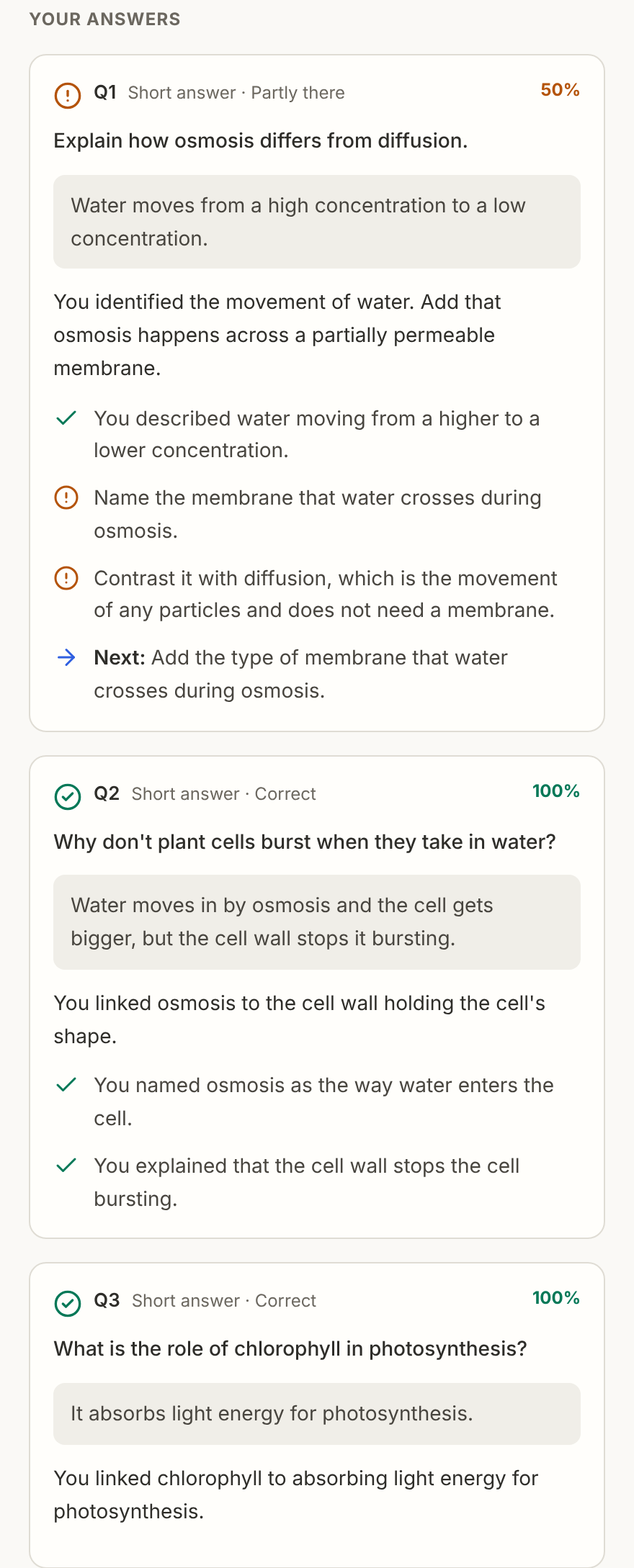
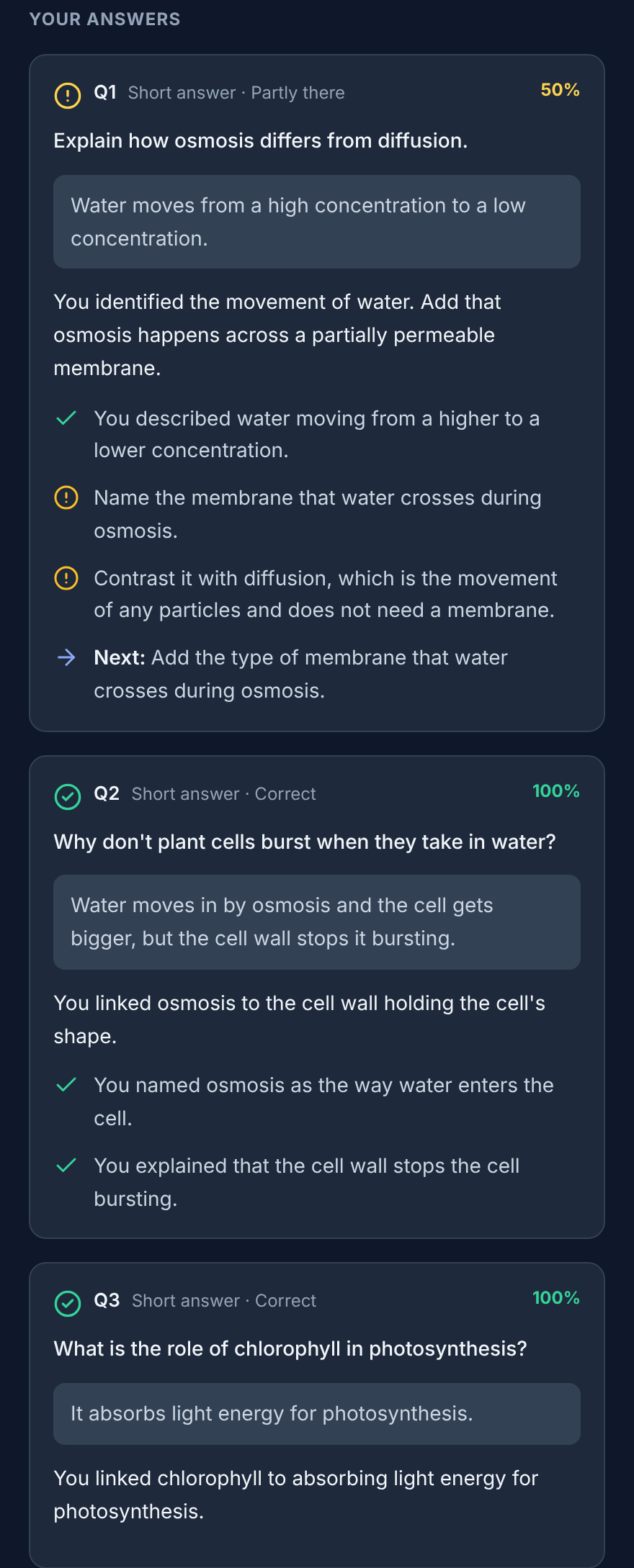
Review suggested feedback. Keep the final say.
PocketTutor drafts comments and suggests a mark against the achievement standard. You can edit both before sending them to students.
- Read the draft. Comments are tied to the part of the response they’re about.
- Edit or approve. Change any comment or the mark. You have the final say.
- Send it. The student gets your feedback and revises their work.
AI can make mistakes. Check the suggested feedback and marks against the student’s work.
Review assigned work. Keep independent study private.
The teacher view brings together the activities you assign and your students’ submissions. Their independent tutor chats and work outside those activities stay private.
In the teacher view
- Your assigned activities and students’ submissions
- Draft feedback and suggested marks for you to review
Stays with the student
- Their independent tutor chats
- Work outside teacher-issued activities
Check generated content before using it.
AI can make mistakes. Review activities, feedback and suggested marks before using them with students.
Check your school’s requirements.
We can discuss student data, account setup and access during the demo. Our Privacy Policy and Terms explain how information is handled.
Explore PocketTutor for your own class.
Tell us what you teach and what you want your class to work on. We’ll show you the teacher and student views and discuss classroom access.
Agree the class setup and cost first.
The demo is free, with no commitment. We’ll discuss student numbers, access and pricing before any classroom trial. The student and family plans are separate from classroom access.
Or email us at hello@getpockettutor.com.au
Your classroom questions, answered.
Yes. You can enquire as an individual teacher. Tell us what you teach and what you'd like your class to work on.
See how you prepare and assign activities, how students work through them and how you review their submissions and suggested feedback.
We discuss pricing for your class size and how you intend to use PocketTutor before any trial. The demo is free, with no commitment.
The student app supports Kindy to Year 12.
Yes. Add your own materials when you prepare an activity, then check and edit PocketTutor's suggestions. Students can upload worksheets and notes for tutoring and practice.
Yes. You can review and edit PocketTutor's suggested feedback and marks before sending them to students. Check the suggestions against the work, as AI can make mistakes.